Theme parks are constantly adding and removing attractions! I simply can’t edit my planners every time a change happens, so I made sure to leave extra spaces on the attraction pages for you to make changes yourself. If you notice that your attraction lists are out of date, here is how you can edit them.
The Quick and Dirty Way

Go to the planner stickers section and locate the plain “patch” stickers. Use the lasso tool to select the color you need and paste it on to the attractions page that you are editing.

Place the sticker over the text to “erase” it from your list. Since the edges of the sticker are semi-transparent, you may notice that the “extra cost” calculations formula still peeks thru a bit.
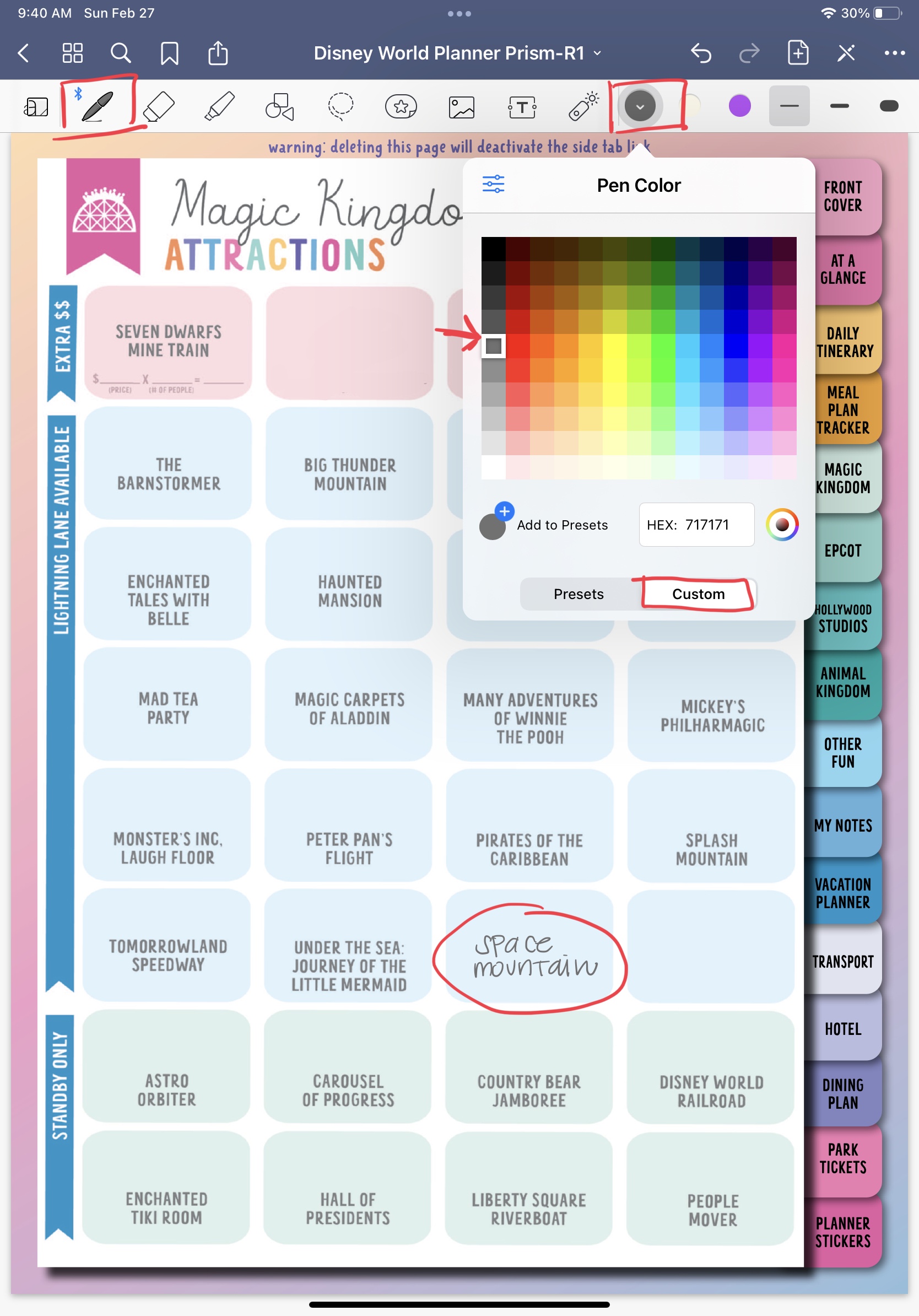
Use the pen tool to write the attraction in another section. Use the pictured color settings to match the text color.
The Cleaner, Longer Way
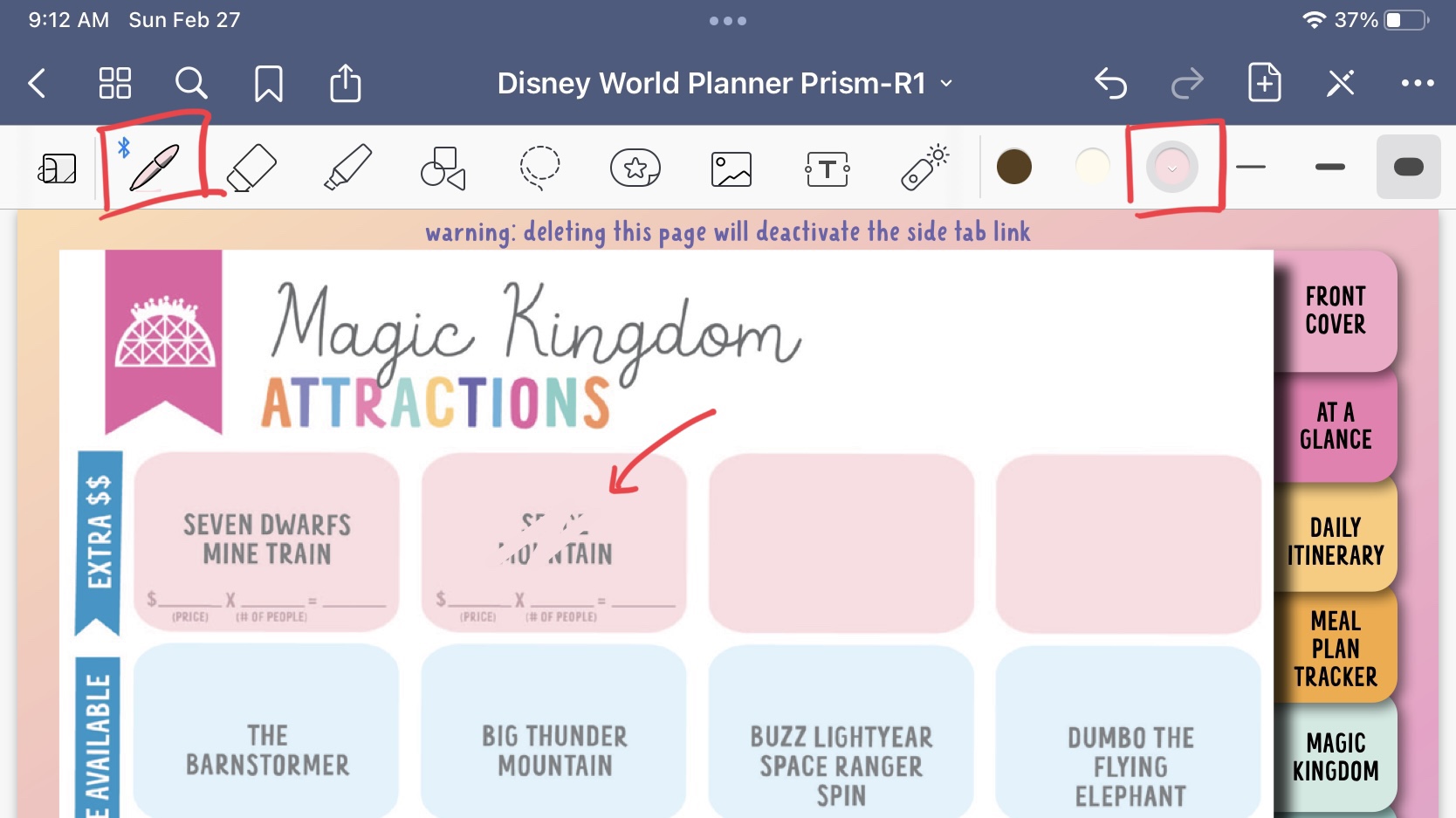
To cover the words completely, we can color over them with the pen tool.

Use the color settings pictured to match the pink color. You just need to click on the “custom” section and type in the HEX code. Once the number is typed in, you can click on the “Add to Presets” button for easy access.
Pink: FCDCE1
Blue: DFF3FC
Green: DFF1EC
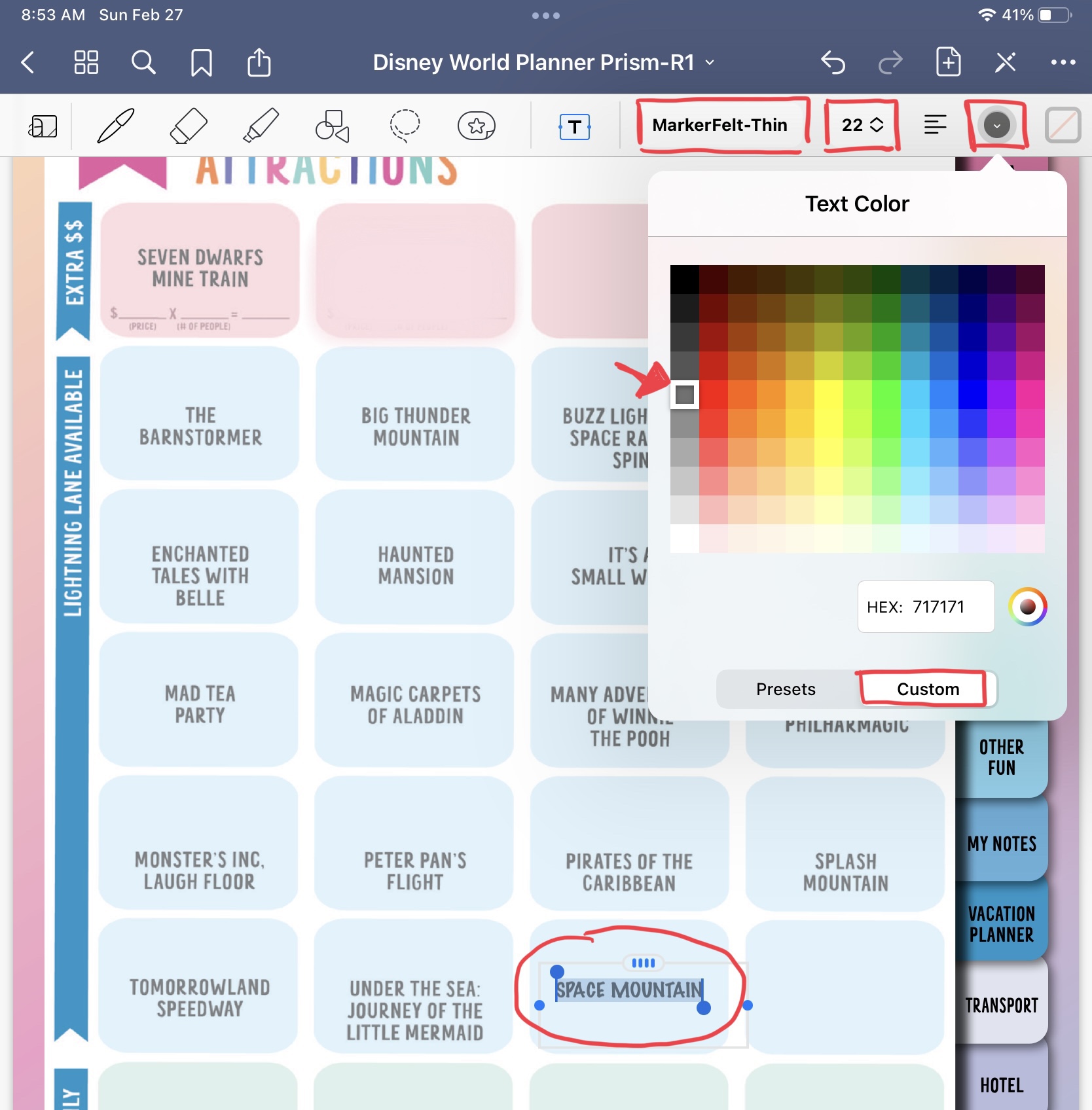
To add the attraction name to the list, select the text tool (the T in the box) and touch anywhere on the page to add a text box. Type in the attraction name with the following settings to get the closest match to the planner:
Font: MarkerFelt-Thin, size 22
I hope this helped! Please feel free to message me on Etsy if you have any more questions!
 JEN GEROSO
Leave a comment